Meet the new sidebar: more room for your work ✨
We've rebuilt the sidebar so it stays short and tidy, however many boards you have. Try it today: switch on New sidebar, just above Sites at the bottom of the sidebar.
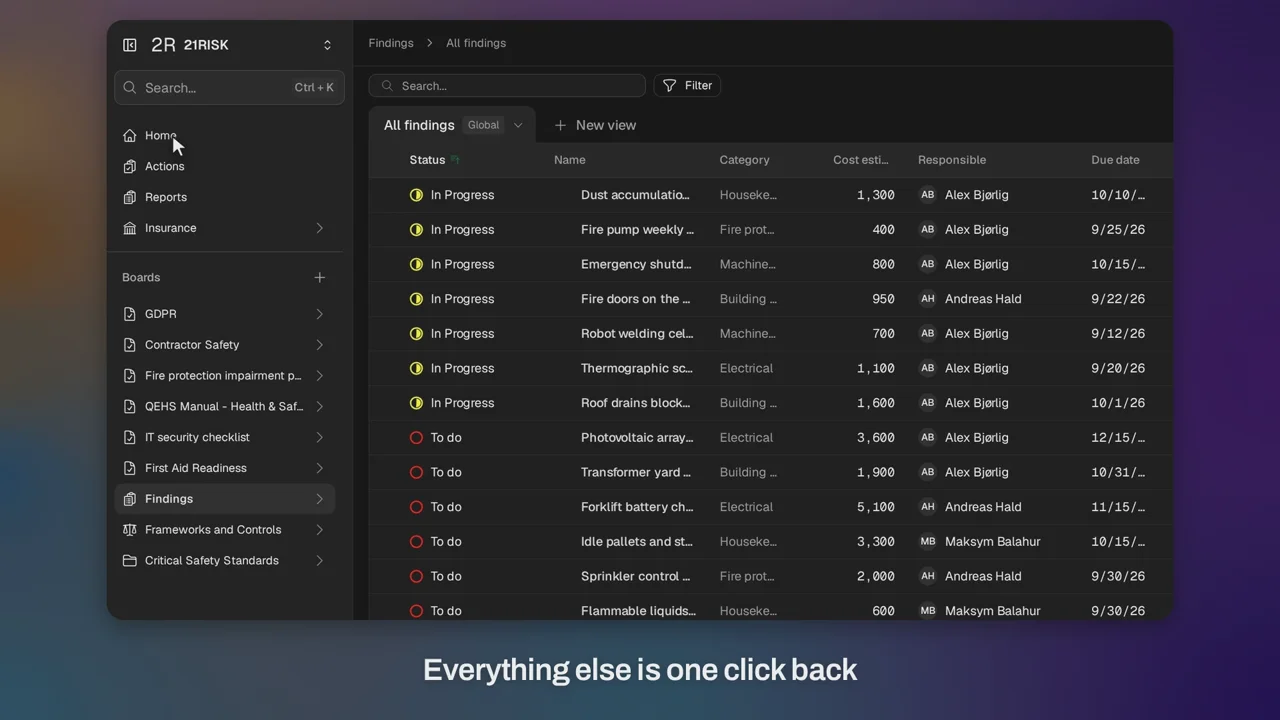
Every section has its own menu
In the old sidebar, opening Insurance or a folder unfolds its pages in the list, and your boards slide further down until you scroll to find them. In the new sidebar, Insurance, folders and boards open their own menus instead. Choose one and its pages slide in. Choose its name at the top to go back to everything else.
The sidebar follows you, too. Open a page from search or a link, and the sidebar shows the menu it belongs to.
Hide it when you need the room
Working through a wide table on a laptop? Hide the sidebar completely with the button in its top corner, and the page takes the whole width of the screen. The same corner of the page brings it back.
Key benefits
- Fits on a laptop — Your boards stay in view, however many sections you open
- Less scrolling — Each menu shows just the pages you need
- More room — Hide the sidebar completely for wide tables and dashboards
- Your choice — Switch back to the old sidebar at any time, with the same switch
Prefer the keyboard? The right arrow opens a menu and the left arrow goes back.
We'd love to hear what you think. Choose Send feedback in the menu under your name and tell us.